How would you prefer to be reminded?
Pick the one that sounds most like you. Each answer is a reasonable place to start.
A vibration on my back
Upper-back feedback: UPRIGHT GO 2, or something like it
A wearable on the upper back senses how that part of you moves and buzzes when it rounds forward. It works with iOS or Android and doesn’t need headphones. In return, it’s one more thing to stick on (or hang from its optional necklace), charge and remember to bring.
UPRIGHT GO 2 on uprightpose.comA quiet sound in my ear
Head-position cues: POIS or another AirPods app
If you already wear compatible AirPods with an iPhone, apps can read their motion sensors and play a sound when your head stays tilted down. There’s nothing extra to wear. The trade-off: it only knows about your head, and only while the earbuds are in and a session is running.
Check which AirPods workSomething that holds me in place
Physical support: a brace, harness or support garment
Straps and structured shirts give you a physical prompt rather than a reminder. Fit and comfort matter more than features, and a physical therapist can help you choose. If a clinician has prescribed a support, keep to their advice.
Braces vs smart remindersNothing to wear at all
Setup and habits
A screen at the right height, changing position often and taking real breaks need no device at all, and they change what pulls your head down in the first place.
Gentler ways to notice your postureDifferent sensors, different questions
Before comparing features, it helps to know where each sensor sits, because a sensor can only notice what moves it.
Back rounds, head stays level. A sensor on the upper back is placed to notice this. Head orientation barely changes, so earbuds may not.
Back stays tall, head tilts down. Earbud motion sensors notice this. A sensor on the upper back isn’t positioned to sense it directly.
An upper-back wearable answers one question: is my upper back rounding forward? Earbud motion sensors answer a different one: is my head tilted down compared with how I usually hold it? The two often move together, which is why both can be useful. But you can slouch with your head level, or sit tall with your head bent over your phone, and each sensor will miss the case it isn’t placed for.
Head tilt isn’t a measurement of your spine. POIS reads the orientation of your head from your AirPods; it doesn’t measure your back, neck or shoulders, or assess your posture as a whole.
UPRIGHT GO 2 and POIS, side by side
| UPRIGHT GO 2 | POIS | |
|---|---|---|
| What it senses | Movement of your upper back, where the device is attached | The orientation of your head, from your AirPods’ motion sensors, compared with your own natural position |
| How it tells you | A vibration on your back; UPRIGHT says strength and sensitivity are adjustable | One quiet sound in your earbuds; music dips for a moment, then carries on |
| Extra hardware | The GO 2 device, plus adhesives or the optional necklace | None, if you already have compatible AirPods and an iPhone |
| Where it goes | On your upper back: adhesive on the skin, or the necklace | In your ears |
| Phone | Companion app for iOS and Android | iPhone only, iOS 18 or later |
| Upkeep | Charge the device; replace adhesives (UPRIGHT says each lasts about 3 to 10 uses) | Charge your AirPods as you normally would |
| While it runs | Training mode vibrates; tracking mode records statistics without vibrating | Runs in the background, phone locked, until you end the session; stays silent during calls |
| Afterwards | Posture statistics and a posture score from 0 to 100 | How long the session lasted. No posture score |
| How you pay | A one-time device purchase; the app is free | Free to download, then a monthly or yearly subscription, with a free trial for eligible new subscribers |
| Doesn’t see | What your head is doing | What your back or shoulders are doing |
Options worth considering
“Alternative” covers quite different products. Here is what each kind is good at, where it falls short, and who it may suit.
Which one may fit you better
POIS may be the better fit if…
- You already wear compatible AirPods with an iPhone for much of the day.
- It’s your head dropping toward a screen or phone that you want to notice.
- You’d rather not stick anything on your skin or wear another device.
- You want quick glances to pass in silence, and a sound only when your head stays down.
- You’d prefer no score to keep up with.
UPRIGHT GO 2 may be the better fit if…
- It’s your upper back you want feedback about.
- You use Android, or don’t wear compatible AirPods.
- You’d rather feel a vibration than hear a sound.
- You like statistics and a score to follow.
- You prefer a one-time purchase to a subscription.
Why AirPods owners choose POIS
Nothing new to wear
No device on your back, no adhesive on your skin, no necklace. Just the AirPods you’d have in anyway.
Private by design
The cue plays in your ears, so nobody in the meeting or on the train knows. There’s no camera, and motion data is processed on your iPhone, never uploaded.
Quiet until it matters
A glance at your phone, a menu or a map passes in silence. You hear POIS only when your head stays down.
Fits into your day
Lock your phone and carry on. Music keeps playing, dipping for a moment if the sound plays. Calls stay silent.
Seconds to start
Put in your AirPods, tap Begin, look straight ahead. That’s the setup.
No score to chase
No posture grade, no streaks. When you end a session you see how long it ran, and that’s it.
What POIS actually does
A few seconds to set your natural position, then nothing to look at. Here is the whole session, from the app itself. Tap below to hear the actual sound.
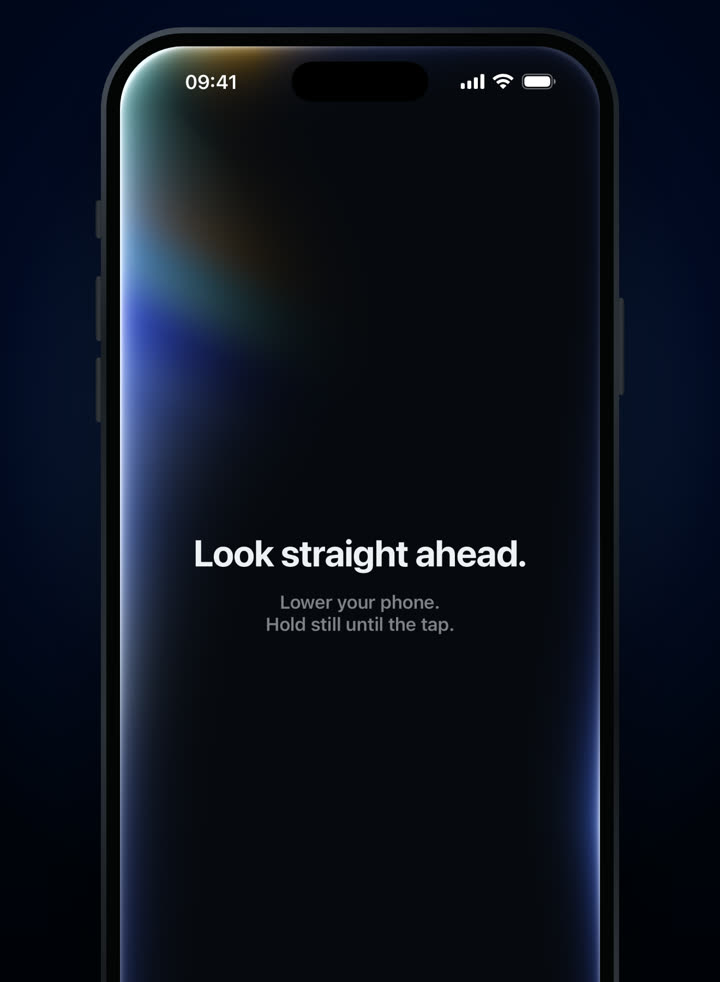
Put in your AirPods, tap Begin and look straight ahead. 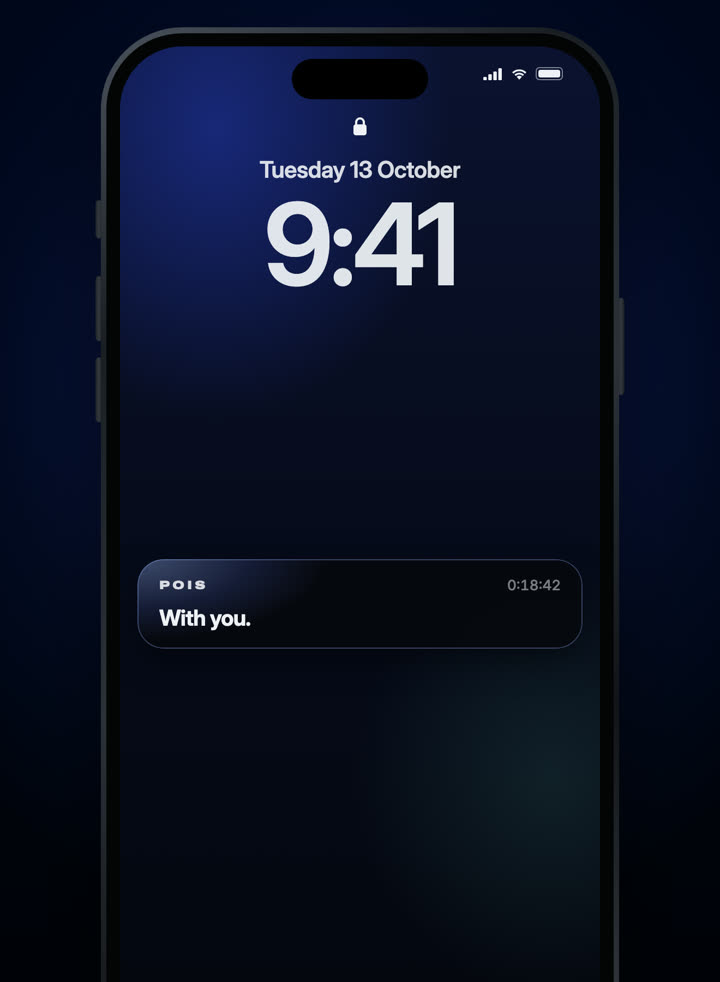
Lock your phone. The session keeps running. 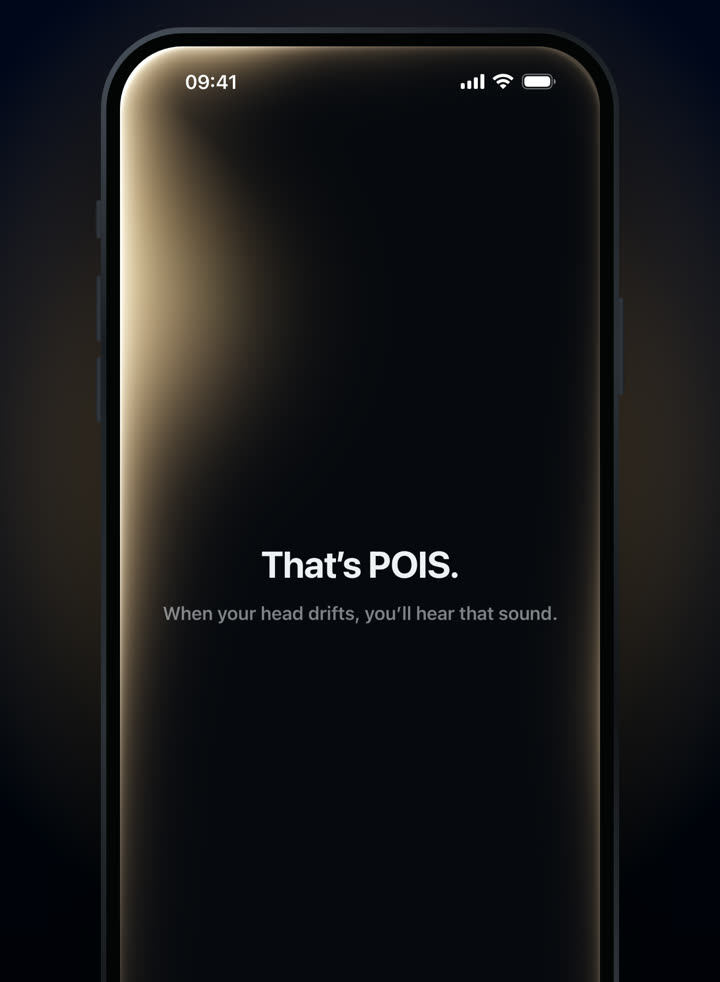
If your head stays down, one quiet sound.
3-day free trial · Monthly or yearly, in your local price on the App Store.
Needs compatible AirPods and an iPhone with iOS 18 or later. Screens from the shipping app.
Questions people ask
Can AirPods replace a sensor on my back?
Not exactly: they notice different things. Earbuds sense the orientation of your head; a back-mounted sensor senses your upper back. If upper-back rounding is what you want to catch, a sensor placed there is better suited than your AirPods.
Do I need AirPods to use POIS?
Yes. POIS works with AirPods and Beats that support head tracking: AirPods Pro, AirPods (3rd generation and newer), AirPods Max and Beats Fit Pro, with an iPhone on iOS 18 or later. AirPods (1st and 2nd generation) don’t work. The full compatibility answer.
Does POIS keep working when my phone is locked?
Yes, while a session is running. Start a session, then lock your phone or switch apps; it carries on until you tap End. Closing POIS from the app switcher ends the session.
What if I want measurements of my whole posture?
Neither a single back sensor nor a pair of earbuds measures whole-body posture. POIS measures one thing, the angle of your head, and doesn’t assess your posture overall. If you have concerns about your back or ongoing pain, a physical therapist or doctor can assess you properly.
Do I need any extra equipment for POIS?
No, beyond compatible AirPods and an iPhone. There’s nothing to stick on, charge separately or carry.
Will either of them fix my posture?
Nobody can honestly promise that. Research on wearable posture devices has found some short-term effects but not enough evidence for firm clinical recommendations. Think of both as ways to notice, not cures.
How we wrote this: we make POIS and use it ourselves. We haven’t tested UPRIGHT GO 2 hands-on; its details come from UPRIGHT’s own pages, checked on 4 November 2026, and may have changed since. POIS isn’t affiliated with UPRIGHT. Product names belong to their owners. POIS isn’t a medical device and doesn’t diagnose, treat or prevent any condition.