Same sensors, different philosophy
Any app that uses AirPods this way relies on the same Apple motion data: how your head is oriented while the earbuds are in. What separates apps is everything after that: when they decide to speak up, how they tell you, and what they ask you to look at afterwards.
| Posture Pal | POIS | |
|---|---|---|
| Sensing | Head tilt from AirPods motion sensors | Head orientation from AirPods motion sensors, compared with your own natural position |
| How it tells you | Visual and sound alerts, phone vibration, notifications (including Apple Watch); can lower your music volume | One quiet sound in your ears; music dips for a moment, then carries on |
| When it speaks | Configurable sensitivity, per its listing | Lets quick glances pass; plays only when your head stays down. Silent during calls |
| Headphones | AirPods (3rd gen), AirPods Pro, AirPods Max, Beats Fit Pro, per its listing | AirPods Pro, AirPods (3rd gen and newer), AirPods Max, Beats Fit Pro |
| iPhone | iOS 17 or later | iOS 18 or later |
| Afterwards | Session tracking | How long the session ran. No posture score |
| Pricing model | Free download; Pro as a one-time purchase or subscription | Free download; monthly or yearly subscription with a free trial |
Which one may suit you
POIS may suit you better if…
- You want a reminder that stays out of the way and speaks only when your head stays down.
- You listen to music or podcasts while you work and don’t want them turned down for long.
- You’d rather not have alerts on your watch, phone and screen as well.
- You don’t want a score or a dashboard to keep up with.
Posture Pal may suit you better if…
- You want to choose between several alert styles, including Apple Watch.
- You prefer paying once rather than subscribing.
- You’re on iOS 17.
- You like detailed settings to tune.
Why fewer alerts can be the better design
More alert options sound like more help. In practice, reminders that come too often, or at the wrong moment, tend to get ignored. In one workplace study of posture wearables with nurses, participants’ diaries described exactly that: cues that came often or at awkward moments were increasingly brushed off. A reminder you’ve learned to ignore is no reminder at all.
That’s why POIS does less on purpose. A glance at a message, a menu or a map isn’t drift, so it passes in silence. Only when your head stays down do you hear anything, and then it’s one short sound, chosen to be noticeable without being jarring. Then it leaves you alone.
What switching to POIS feels like
Silence, mostly
Most of a session you hear nothing at all. That’s the point.
One signature sound
Not a chime from your watch, a buzz from your phone and a banner on your screen. One sound, in your ears.
Your music stays yours
It dips for a moment if the sound plays, then carries on.
Lock and forget
Start a session, lock your phone; it shows on your Lock Screen and keeps going until you end it.
See and hear POIS
Three screens are the whole experience. Then tap to hear the only sound POIS makes.
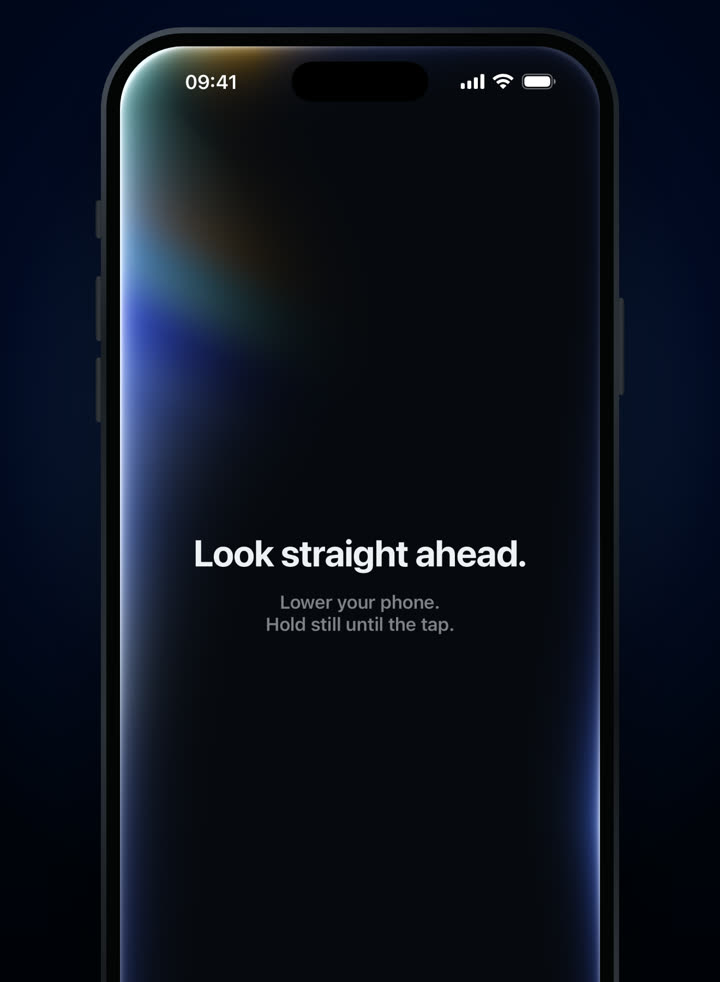
Set your natural position. 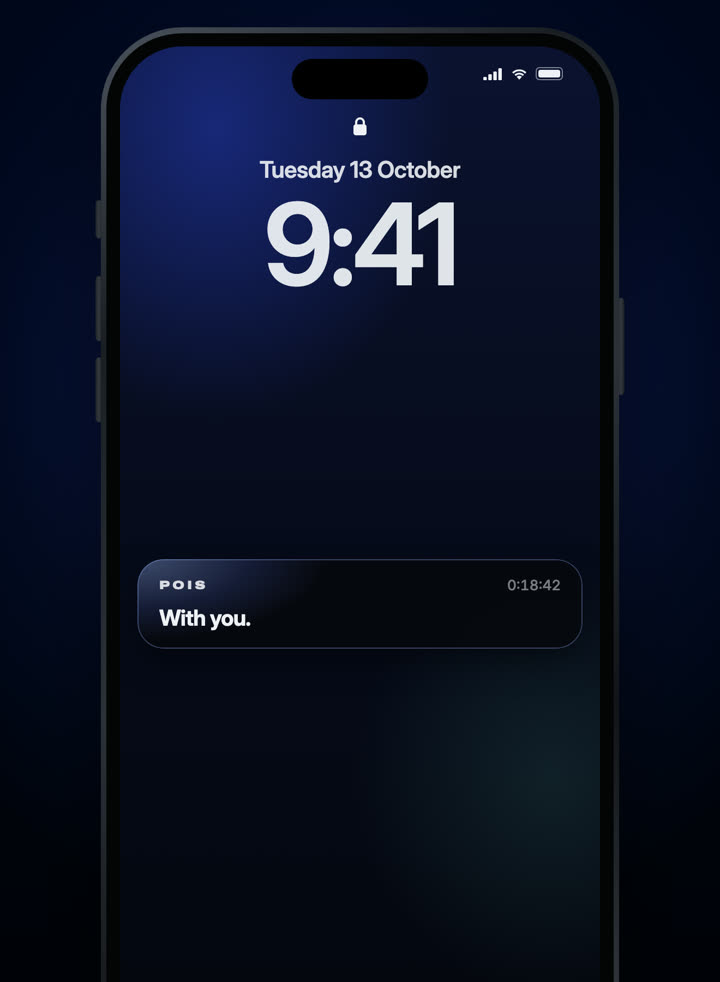
Lock your phone and carry on. 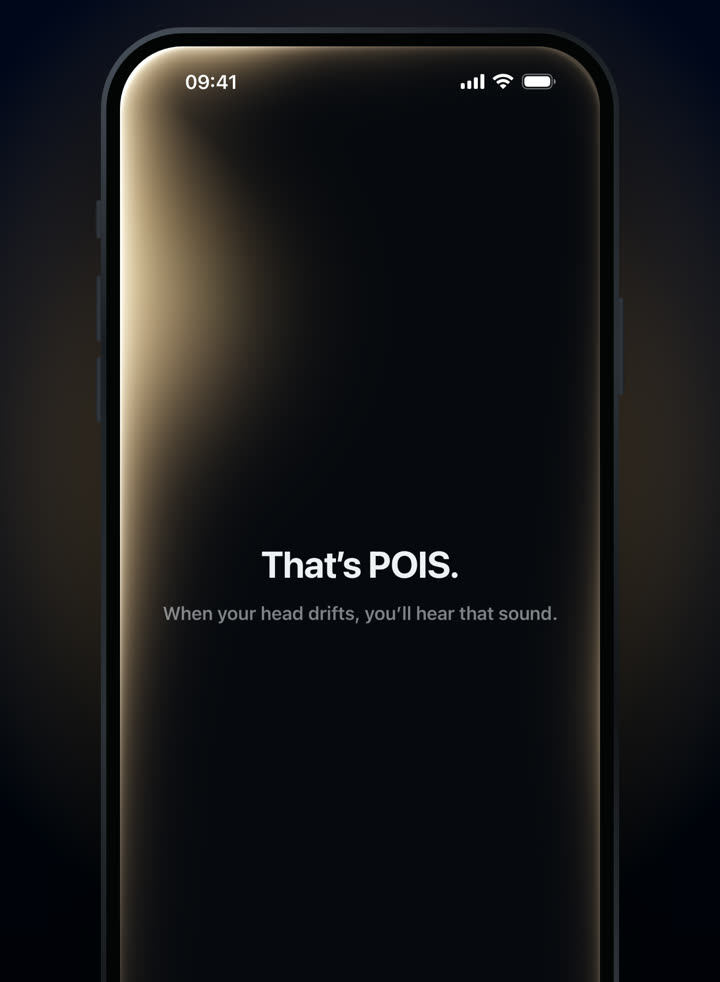
One quiet sound, only when needed.
3-day free trial · Monthly or yearly, in your local price on the App Store.
Needs compatible AirPods and an iPhone with iOS 18 or later. Screens from the shipping app.
Can I use both apps?
You could install both, but two apps reading the same AirPods and alerting you separately would defeat the purpose of a quiet reminder. Pick one per session.
Is one more accurate than the other?
We haven’t run a side-by-side test, so we won’t claim one. Both rely on the same AirPods motion data; they differ mainly in when and how they alert you.
Does POIS work with one AirPod?
Yes. If you switch the AirPod to your other ear mid-session, POIS may ask you to set your position again. It takes a few seconds.