What’s actually happening?
Pick the one that sounds most familiar.
I’m always looking down at my laptop
That’s setup
Raise the screen so its top is at or slightly below eye level, and add a separate keyboard and mouse. A reminder alone would only tell you about a problem your desk keeps recreating.
Screen height, step by stepMy desk is fine, but I drift when I focus
That’s a reminder
Good setup makes a reasonable position easy, not automatic. Absorbed attention pulls you toward the screen anyway. A cue that reaches you during the work is the missing piece.
Why you forget your body when you focusI sit still for hours
That’s movement
OSHA recommends changing working position frequently. A sit-stand desk makes it easier; a timer or natural breaks make it happen.
It’s worst away from my desk
That’s a reminder that travels
No desk setup reaches the sofa, the kitchen counter or the train. A reminder that rides on your AirPods comes with you.
Which AirPods work with POISWhat solves what
| Setup | Movement | Reminder | |
|---|---|---|---|
| Screen far below eye level | Solves it | Helps a little | Only points it out |
| Drifting forward while focused | Reduces it | Breaks it up | Catches it as it happens |
| Sitting still for hours | Doesn’t help | Solves it | A timer helps; a posture reminder may notice the slump |
| Head down on a laptop on the sofa | Hard to fix | Helps | Catches it, if it travels with you |
| Pain that isn’t settling | See a professional | See a professional | See a professional |
The reminder that goes where your desk doesn’t
Catches focus drift
When your head stays down while you’re absorbed, you hear one quiet sound.
Off the desk too
Sofa, counter, train: if your AirPods are in, POIS can notice.
Works with your music
It dips for a moment if the sound plays, then carries on.
Nothing to install on the desk
No camera, no stand, no gadget. Just your iPhone and AirPods.
Add it to a good desk
Set up your screen, then start a session and lock your phone. POIS covers the rest.
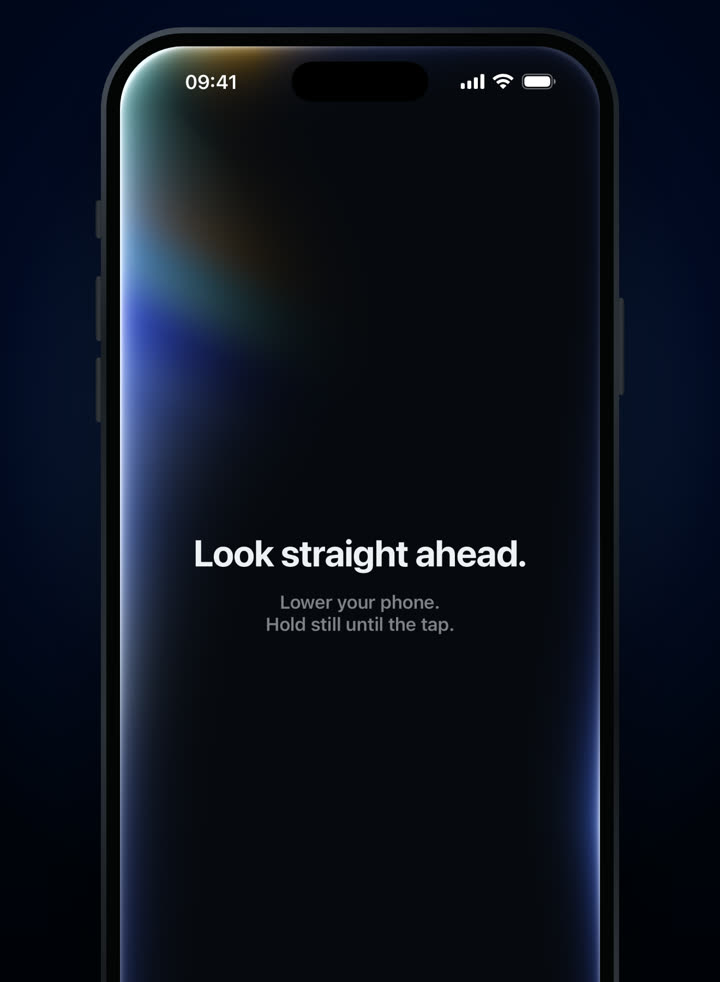
Look straight ahead to set your position. 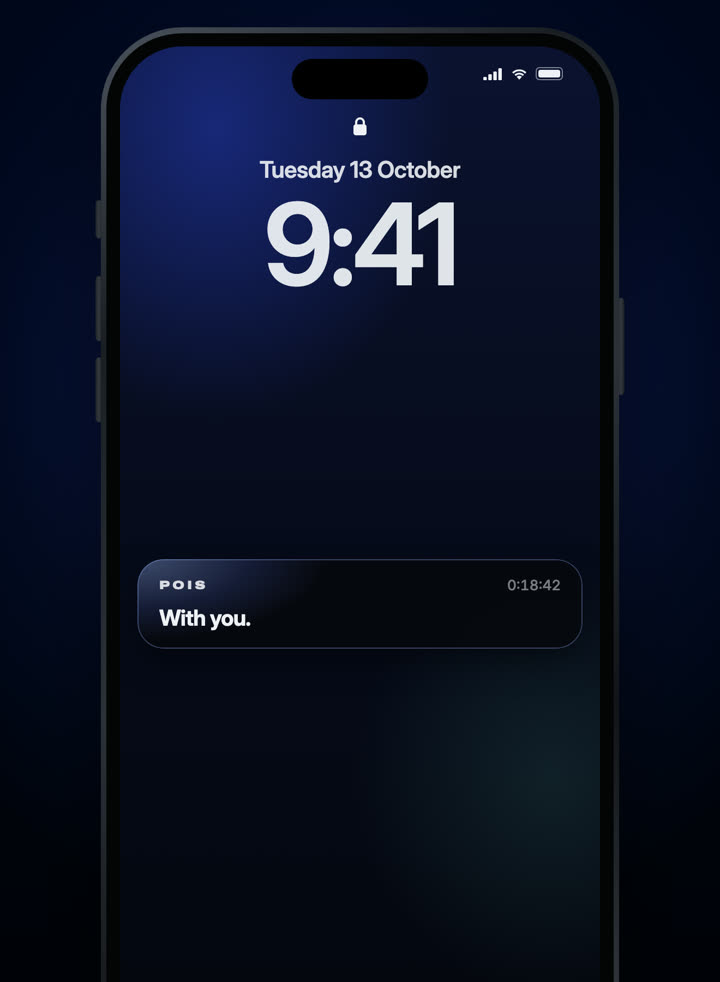
Lock your phone and work.
3-day free trial · Monthly or yearly, in your local price on the App Store.
Needs compatible AirPods and an iPhone with iOS 18 or later. Screens from the shipping app.